
The organized workshop / 01
How to track your
filament inventory.
Know which spools you own, how much filament remains, and where to find it before your next print.
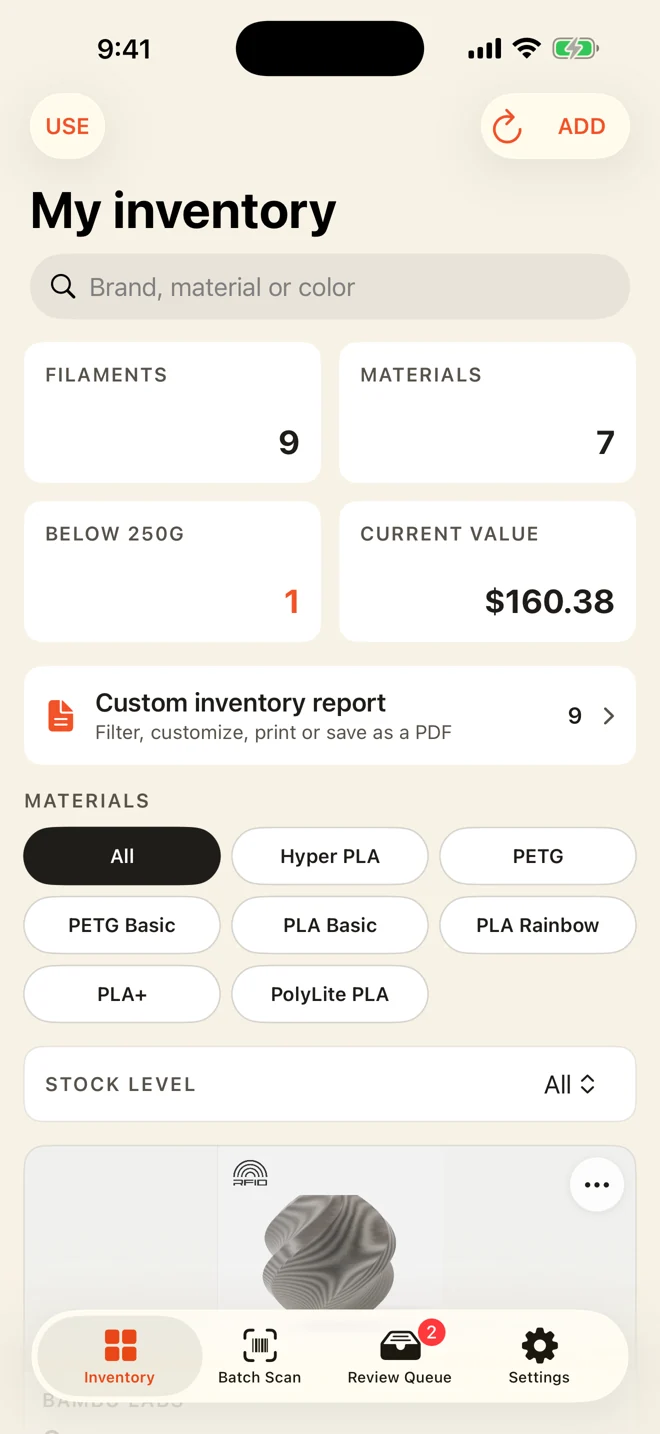
Layout varies by device and app version.
A filament inventory is a record of the 3D printing filament you own, including each spool’s material, color and remaining amount. A useful inventory connects that record to the physical spool on your shelf.
1. Start with each physical spool
Gather your open rolls, sealed boxes and partial spools. Record the brand, material, color, filament diameter and starting filament weight from each label. Add a short identifier, such as “PLA white 01,” so two identical rolls are easy to tell apart.
Keep separate remaining amounts for partially used rolls. Three rolls of the same color can have very different amounts left, even when they look alike.
Start with the spools you use most. You can add the rest of your collection in another session rather than waiting until you have time to catalog everything.
2. Track filament weight, not spool weight
A scale measures the filament and its spool together. To estimate the filament remaining, subtract the weight of the empty spool of the same type. If you do not know that empty weight, mark the amount as an estimate instead of treating the total weight as usable filament.
650 g total − 200 g empty spool
= 450 g of filament remaining
Before a print, compare the remaining amount with your slicer’s estimate. Account for supports, purge material and a margin for uncertainty. Slicer estimates and manual records can differ from actual use, so reweigh a nearly empty spool when the margin is tight.
3. Make the record easy to find
Give your shelves, drawers or storage boxes simple names. Use the same spool identifier on the physical roll and in your records. Store material and color consistently: “PETG / black” is easier to search than a mix of abbreviations and nicknames.
Scanning a barcode can save typing, but always check the result against the label. Packaging changes, region-specific barcodes and incomplete catalogs can produce uncertain matches. In Filafolio, review uncertain scans or add the spool manually.
4. Update your inventory after each print
Choose a habit you can repeat: select the spool you used, record the grams consumed, and put it back in its labeled place. Include failed prints and test pieces so your record does not slowly overstate what remains.
In Filafolio, you choose the spool and enter the grams used. The app updates the remaining amount; it does not automatically read usage from your printer or slicer.
Periodically compare your records with your shelf. Remove empty spools, check unusually low balances and keep a current backup before changing devices. See Filafolio support and backup guidance if you need help.
5. Choose a system you will keep using
A notebook or spreadsheet can work for a small collection. A filament inventory app helps when you want to browse by material, find colors quickly and update amounts from your phone.
Filafolio’s free mobile inventory supports five physical spools. Pro removes that inventory limit with a one-time purchase. See the Free vs. Pro comparison and current pricing for details, including separate Apple and Google purchases.
The best starting point is a short, accurate list. Add your most-used rolls, check their remaining amounts, and update them after your next print.